FeaturesHow it worksPricingBook a demo
How it works

How Perennial CRM runs a landscaping business, from first call to paid

One system for the office, the crews and your customers. Here's what a job looks like from the request to the payment, and what it takes to get started.

Step 1 · Set up

Bring your customers and prices over in an afternoon

Import your customer list and price book from a spreadsheet, QuickBooks or Jobber. A checklist on the dashboard walks you through the rest.

  • ✓Customer import matches your columns and skips duplicates
  • ✓Price book import from any sheet with a name column
  • ✓Your logo, colors and wording on quotes and invoices
  • ✓Invite your office staff and crews, each with the right access
  • ✓Turn on online payments in a few minutes
  • ✓Or let us move everything over for you
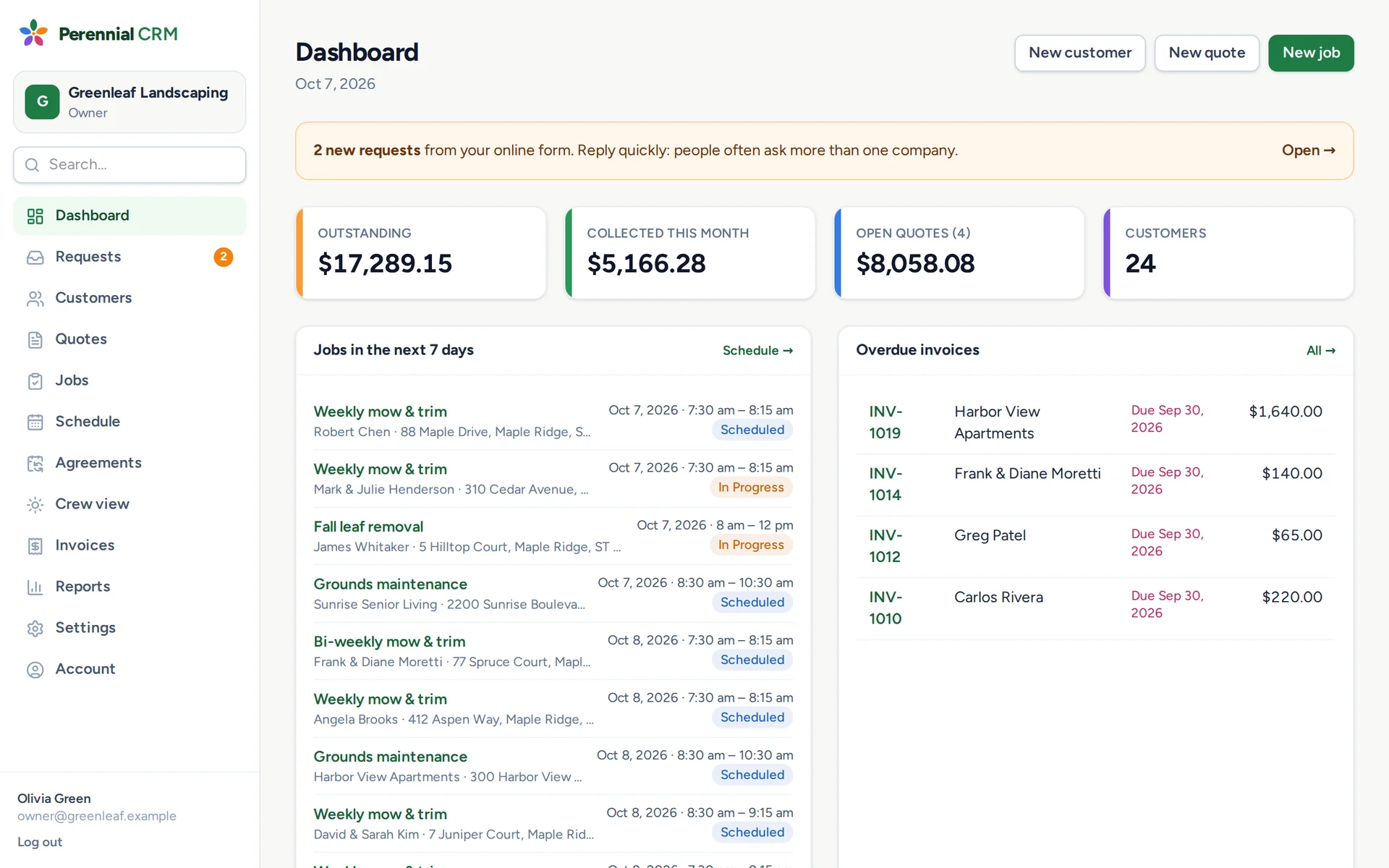
The Perennial CRM dashboard with money owed, this week's jobs and overdue invoices
Step 2 · Win the work

Requests come in, quotes go out the same day

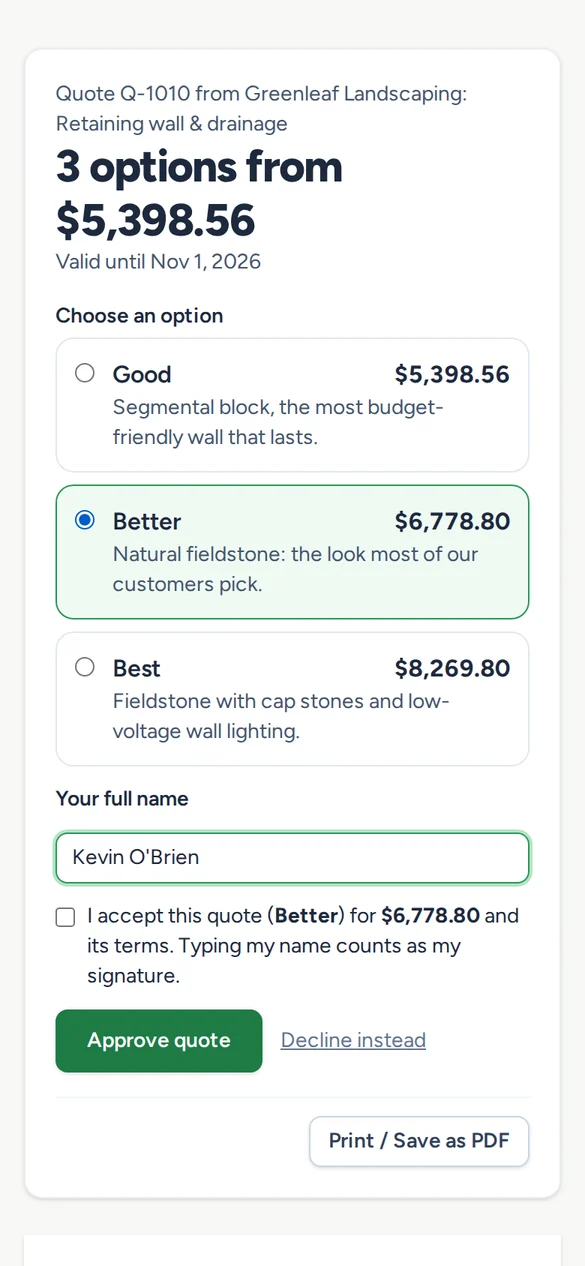
New customers ask for a quote from your website. You build it from your own prices, text or email the link, and they approve it from their phone.

  • ✓A request form for your website, Google profile or Facebook
  • ✓One click turns a request into a customer and a draft quote
  • ✓Good, better and best options on one quote
  • ✓Online approval with a typed signature, and the deposit paid on the spot
  • ✓A friendly follow-up if they go quiet
A customer choosing an option and signing a landscaping quote on their phone
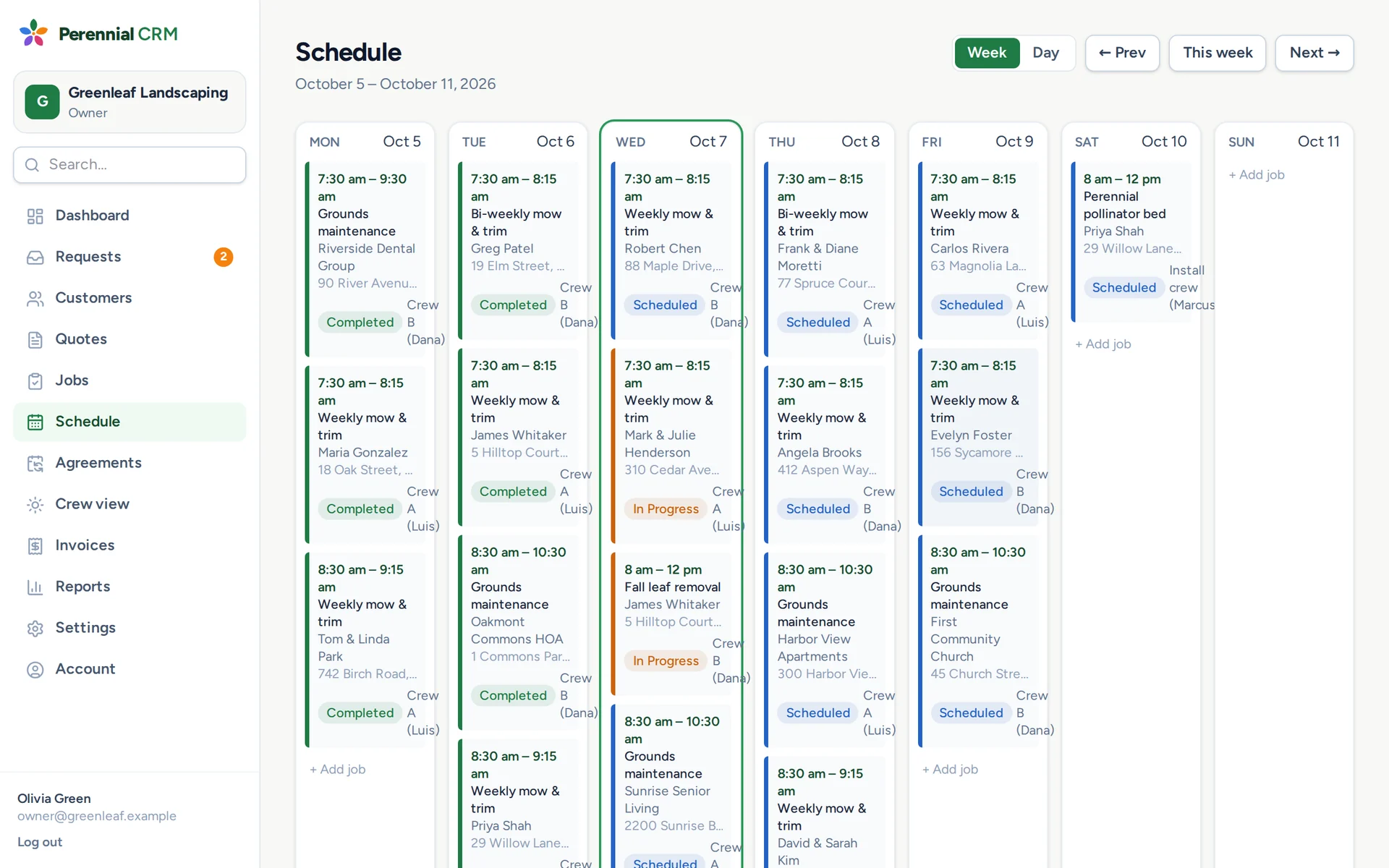
The Perennial CRM schedule with a week of jobs by crew
Step 3 · Schedule

Approved work lands on the schedule

An approved quote becomes a job in one click. Give it a crew, a day and a time, or set it to repeat.

  • ✓Weekly, every two weeks or monthly visits that book themselves
  • ✓Season-long service agreements put every visit on the calendar
  • ✓Week and day views, with a column for each crew
  • ✓Each person's schedule in their phone's calendar
  • ✓Rain day: move a day's visits and text every customer
Step 4 · Do the work

Crews get the day on their phone

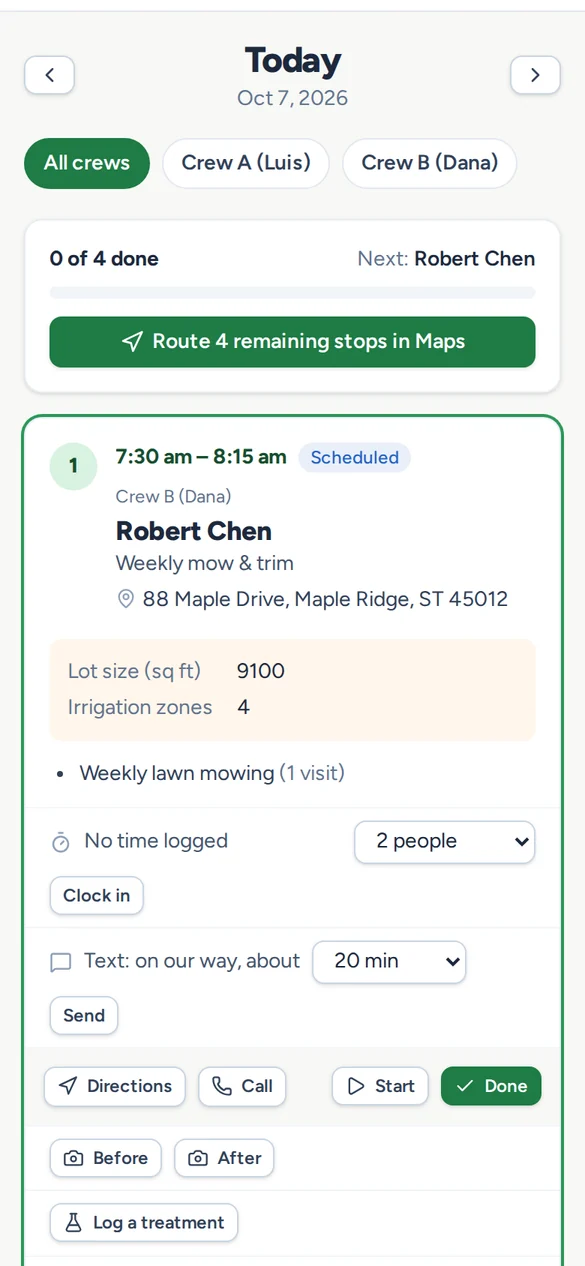
Each crew sees today's stops in order with directions, gate codes, notes and the work to do. Never prices.

  • ✓The whole route in Maps with one tap
  • ✓Start and Done clock the time on site
  • ✓Before and after photos straight onto the job
  • ✓"On our way" texts to the customer
  • ✓Works with no signal, in English or Español
The crew Today view on a phone with the day's stops and a route button
Step 5 · Get paid

Invoice in a click, paid in days

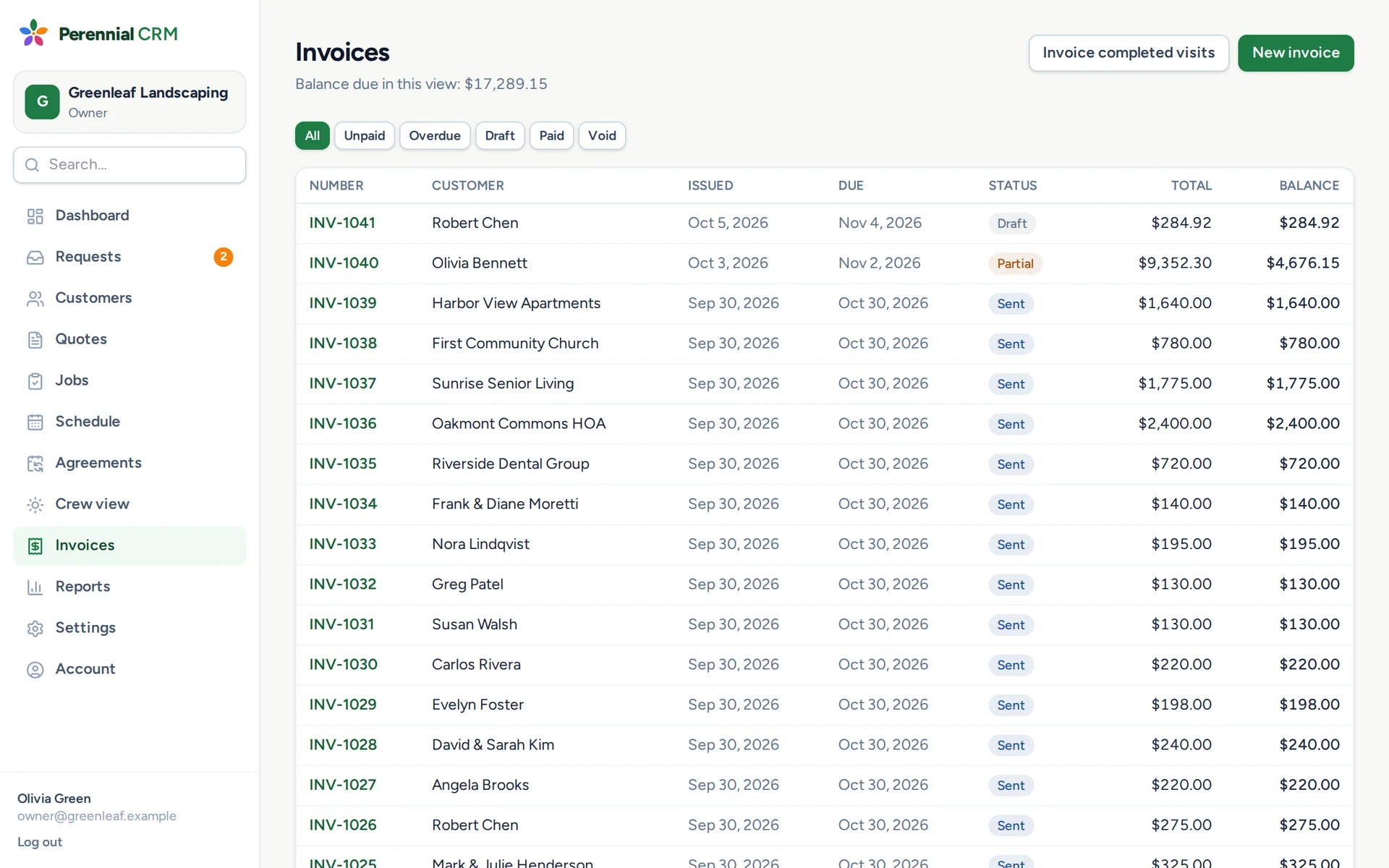
Invoice a job when it's done, or bill every finished visit for the month at once. Customers pay online by card or bank transfer.

  • ✓One invoice per customer for all their visits
  • ✓Autopay for customers who'd rather not think about it
  • ✓Automatic reminders for overdue invoices
  • ✓Receipts sent when a payment comes in
  • ✓Invoices and payments sent to QuickBooks Online
The Perennial CRM invoice list with paid, partly paid and overdue invoices
Step 6 · Grow

Then see what's working and do more of it

With every quote, visit and payment in one place, the numbers and the next customers follow.

Know which work pays

Revenue by service and by month, profit on every job, and who owes you what. Download any report for your accountant.

Reviews and referrals

Ask happy customers for a Google review after they pay, and give every customer a referral link you can track.

Seasonal campaigns

Email past customers when spring cleanup or fall aeration spots open, and see the requests that come back.

Put the clipboard down this season

Set up your services and send your first quote tonight.

Start your free trial

14 days free · No card needed · Cancel anytime