FeaturesHow it worksPricingBook a demo
Features

Landscaping software for customers, crews and cash

Quotes your customers approve online, a schedule that fills itself, crews who know exactly where to go, and invoices that get paid. Here's a look inside.

Quotes

Quotes your customers can say yes to from their phone

Build a quote from your own services and prices in a couple of minutes, then email or text the link. Your customer reads it, picks an option and signs, right on their phone.

  • ✓Good, better and best options on one quote
  • ✓Online approval with a typed signature
  • ✓Take a deposit by card or bank transfer the moment they approve
  • ✓Printed quotes carry a QR code to the same approval page
  • ✓An approved quote becomes a scheduled job in one click
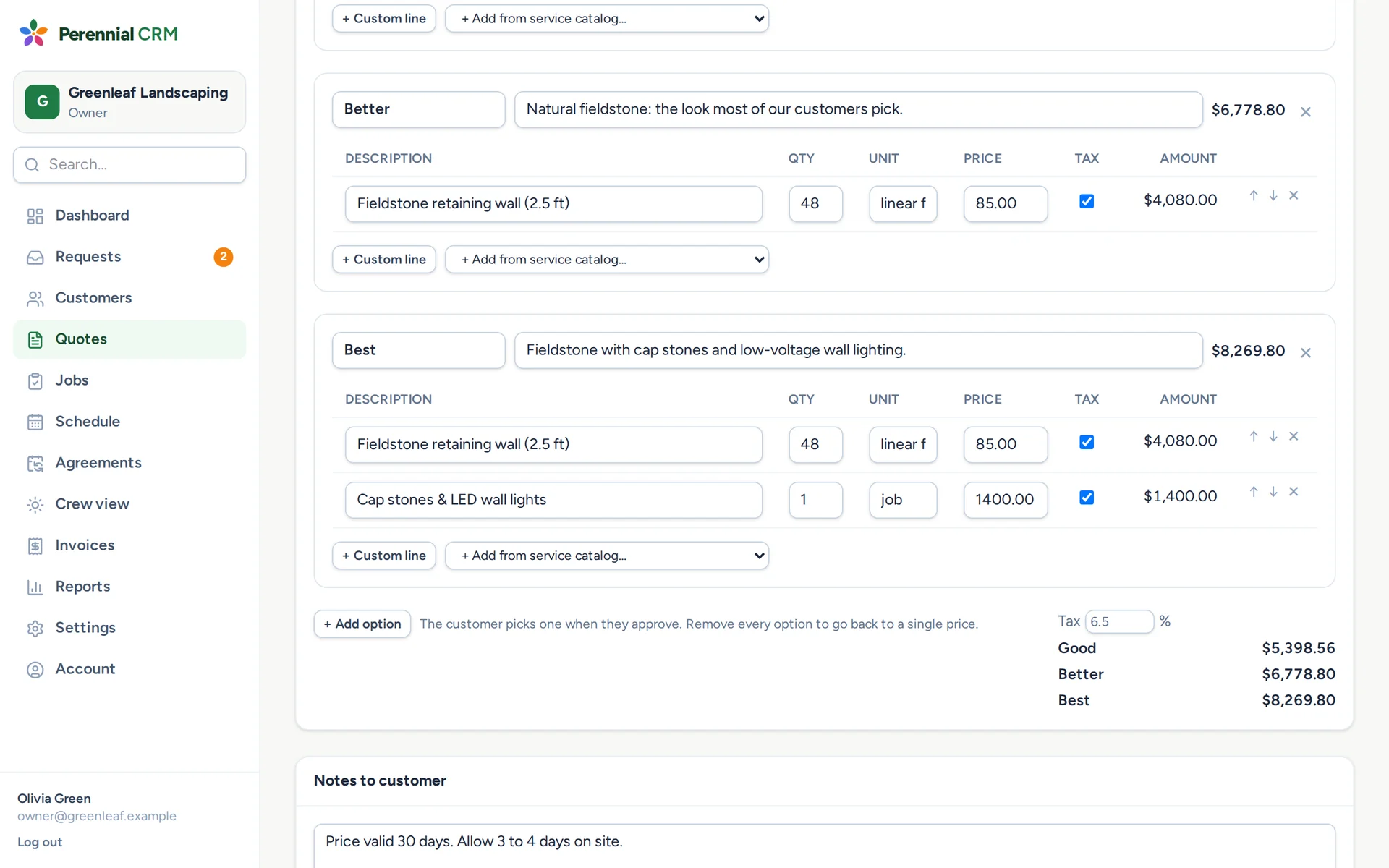
A Perennial CRM quote with good, better and best options for a retaining wall
For your customers

What your customers see

No app to download and no password to remember. Every quote, invoice and account page opens in one tap from an email or text, with your name and logo on it.

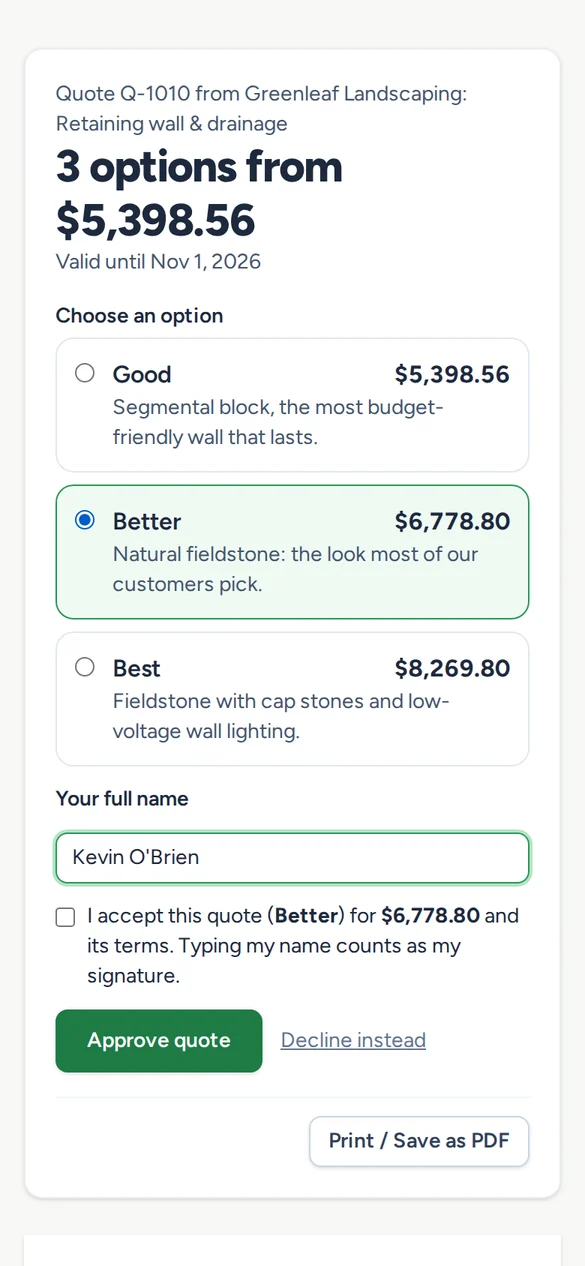
A customer choosing the Better option and signing a quote on their phone

Approve a quote

Pick good, better or best, sign with their name, and pay the deposit.

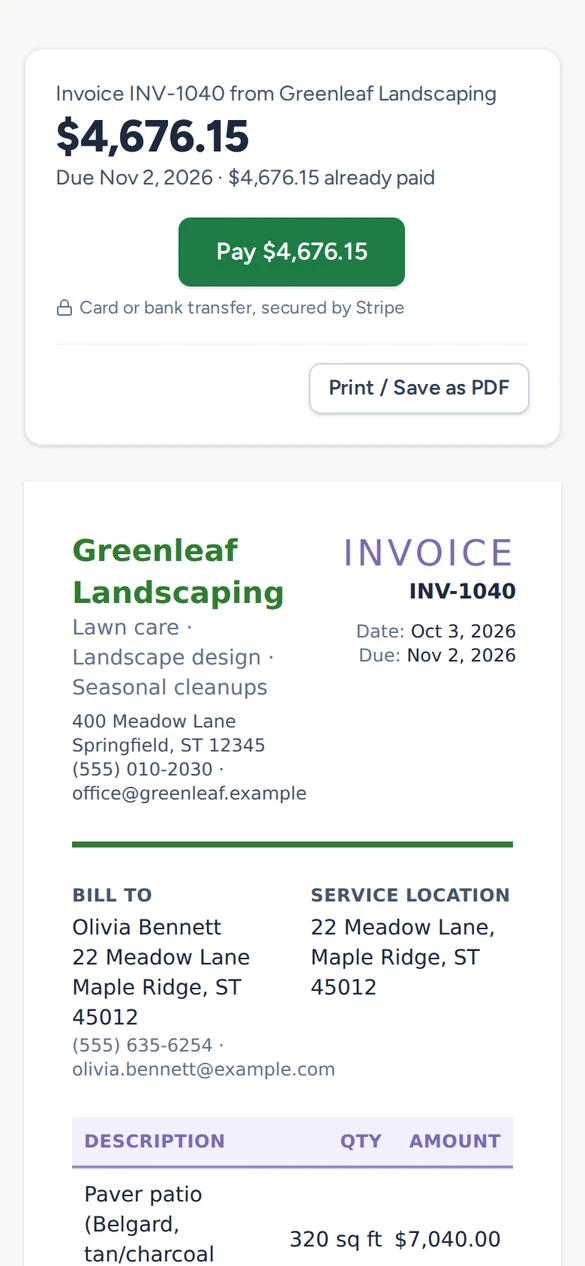
An invoice with a Pay button, open on a phone

Pay an invoice

Card or bank transfer through Stripe, with autopay for regular customers.

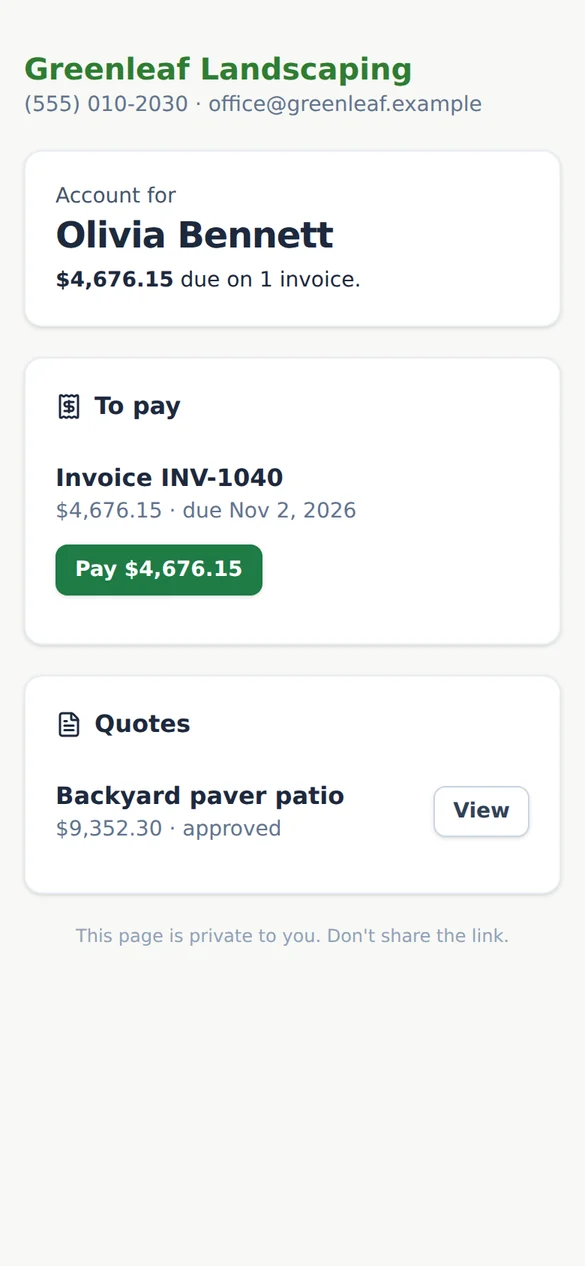
A customer's account page showing what they owe and their quotes

Their own account page

What they owe, every quote, and a pay button, always one link away.

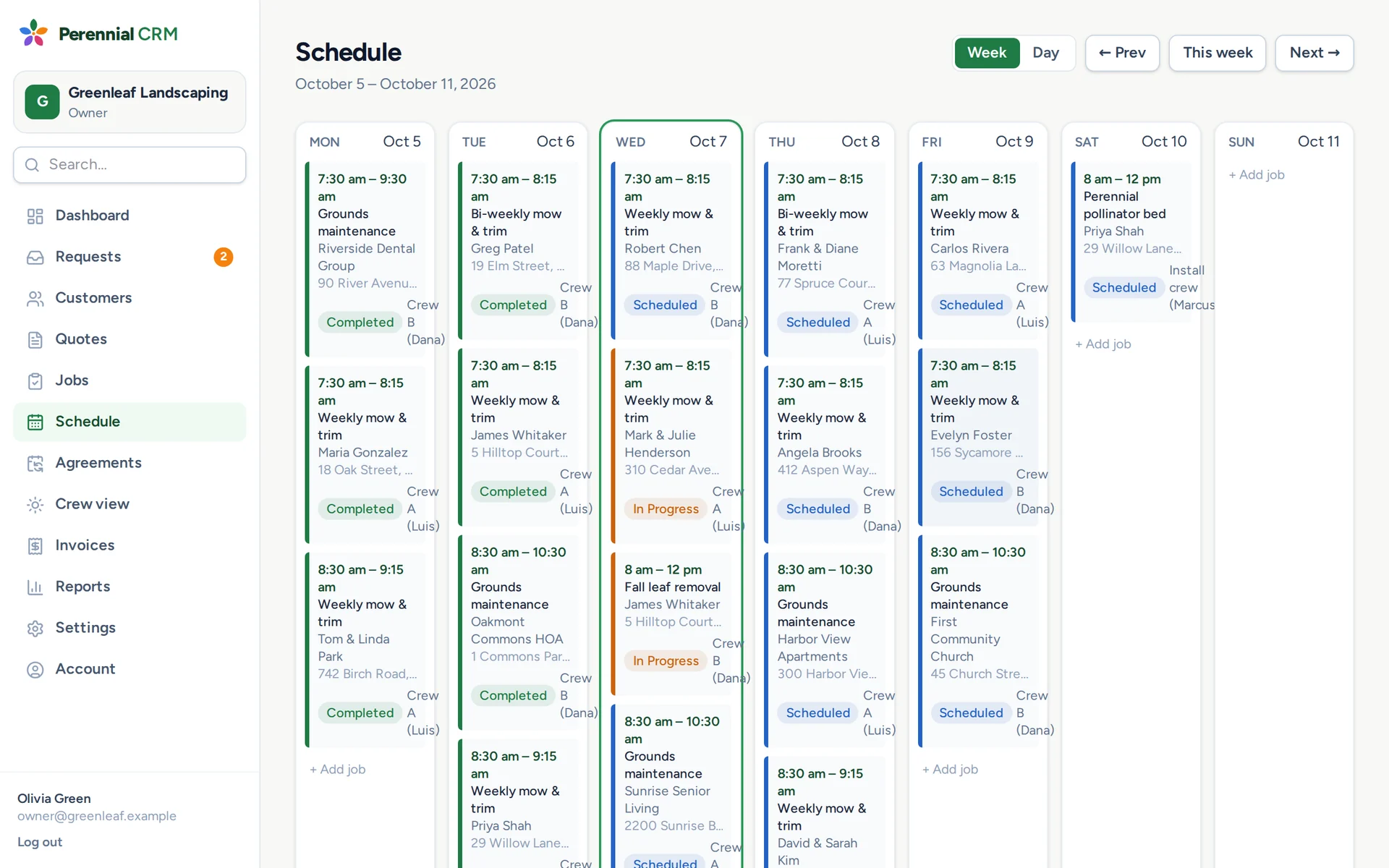
The Perennial CRM week schedule with jobs by crew and stage
Scheduling

See the whole week, crew by crew

Week and day views of every visit, coloured by stage and labelled by crew. Weekly, bi-weekly and monthly work repeats on its own.

  • ✓Mark a visit done and the next one books itself
  • ✓Service agreements sell a whole season of visits at once
  • ✓Assign crews and arrival windows
  • ✓Crew size, equipment and site notes on every job
Crew view

Send crews out with everything they need

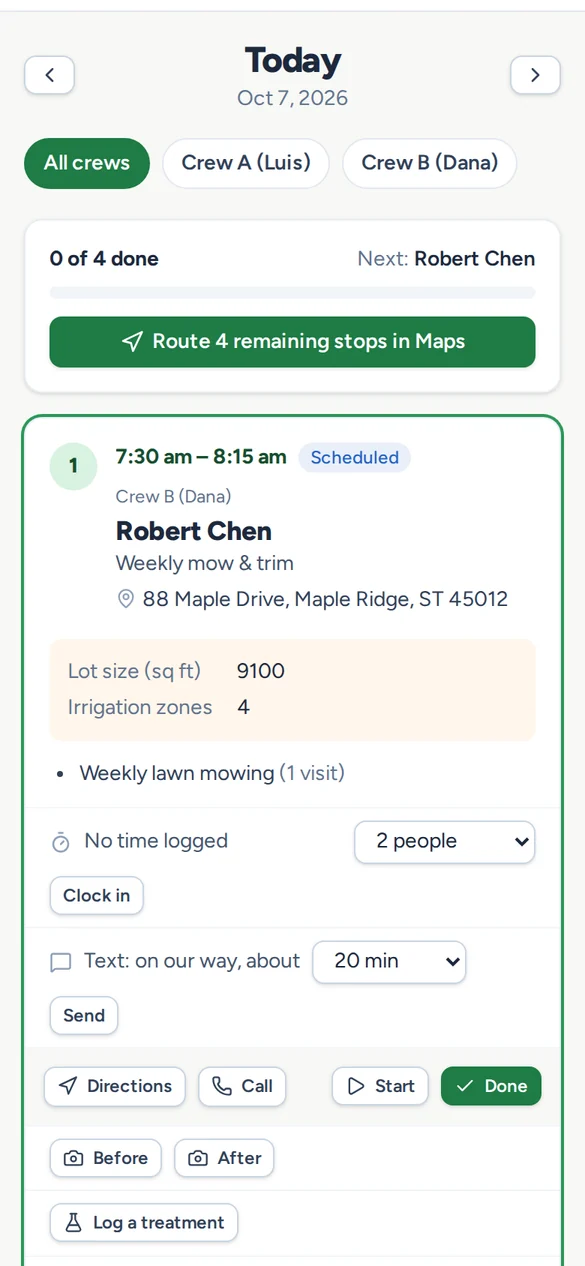
Crew members get a simple phone view of today's stops in order. No training, no prices, and no calls back to the office asking for the gate code.

  • ✓The whole day's route in Maps with one tap
  • ✓Gate codes, pets, lot size and site notes on every stop
  • ✓"On our way" texts to the customer
  • ✓Clock in and out on site, with before and after photos
  • ✓Mark a job done and the next visit books itself
The crew Today view on a phone with the day's stops and a route button
Online requests

Turn website visitors into quotes

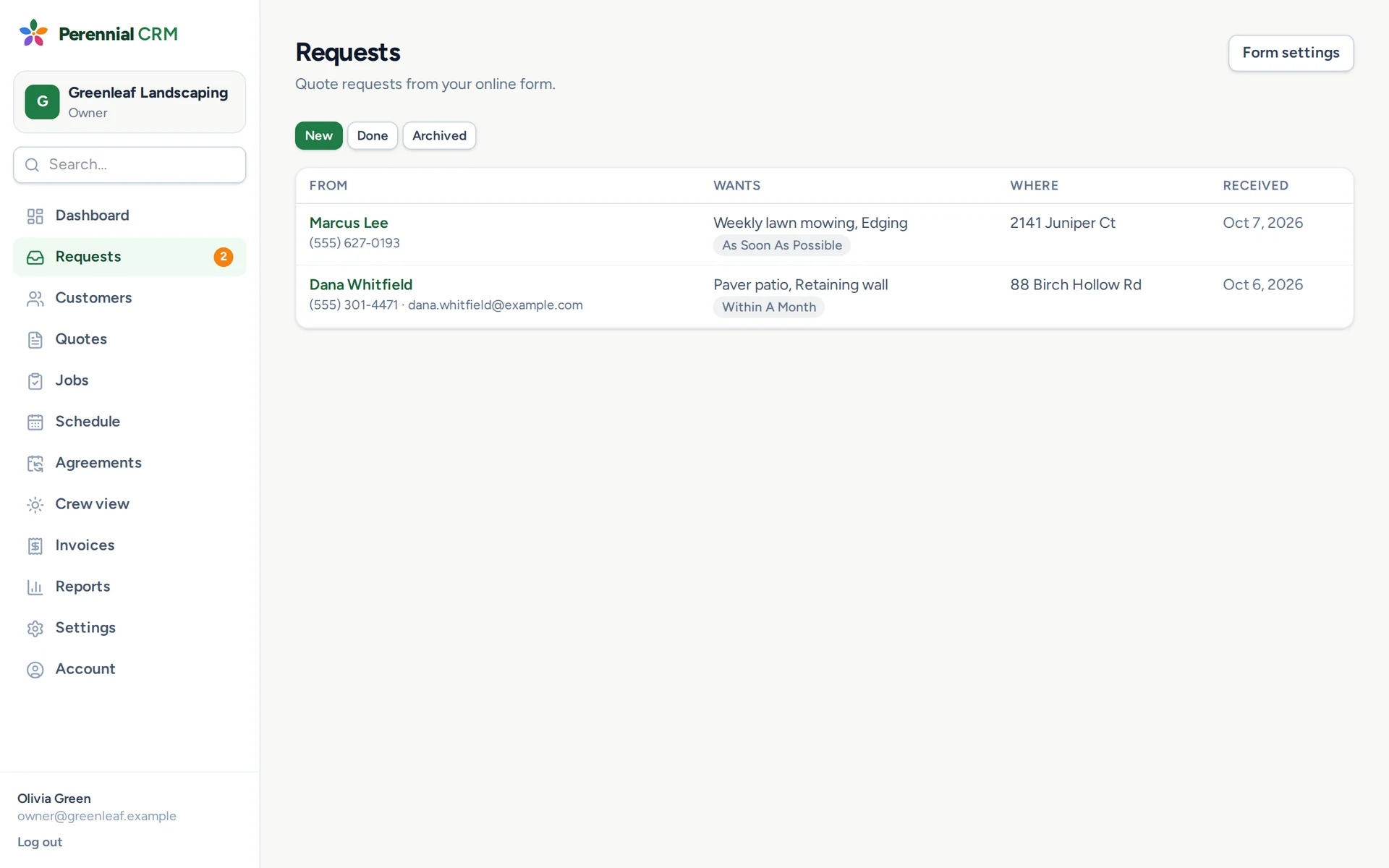
Link your request form from your website, Google profile or Facebook page. New requests land in Perennial with what the customer wants and where, ready to quote.

  • ✓Choose which of your services appear on the form
  • ✓New requests show on the dashboard with a badge
  • ✓Turn a request into a customer and a quote in one click
The requests inbox listing new quote requests from the online form
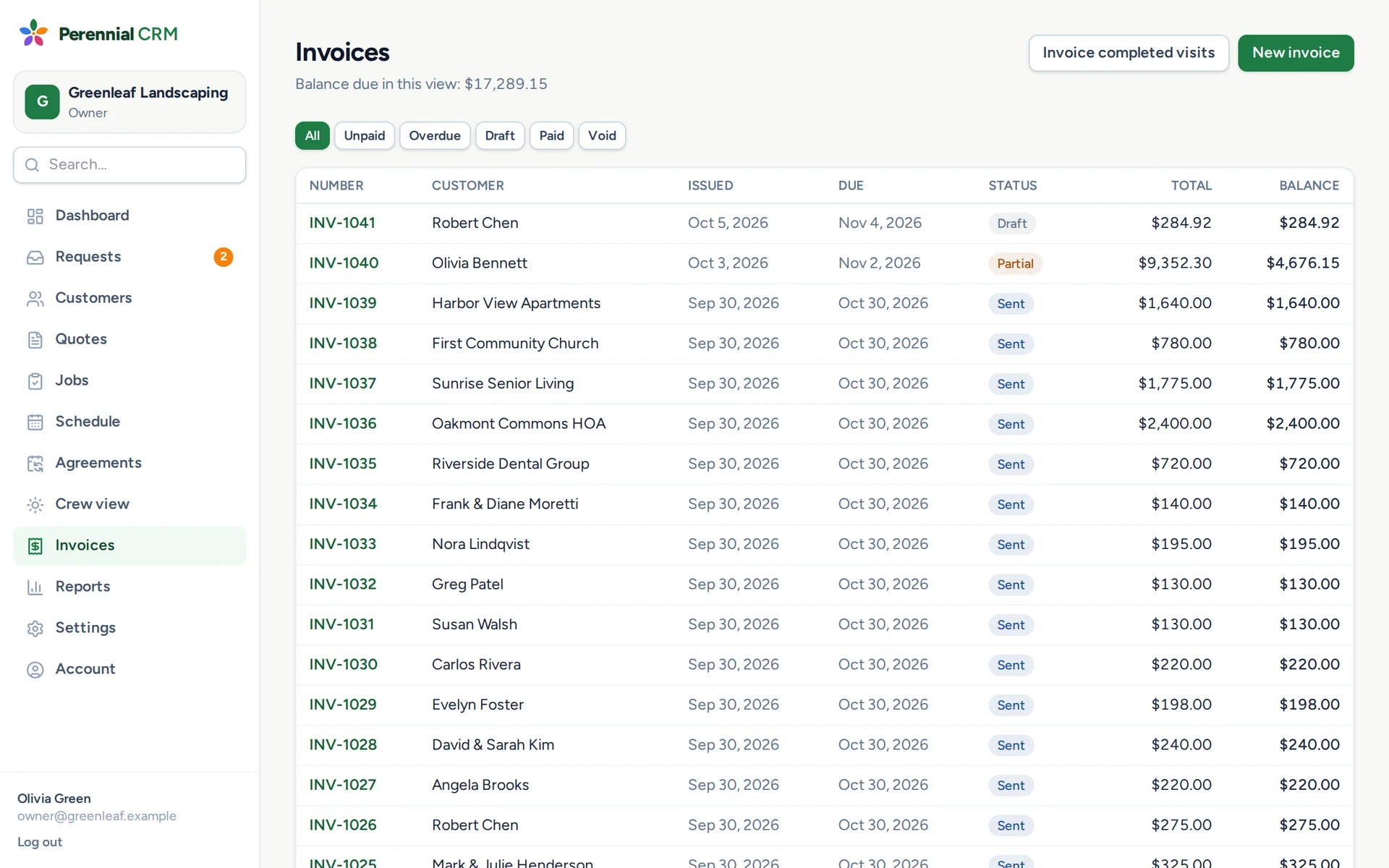
The invoices list with balances and statuses
Invoices & payments

Get paid in days, not weeks

Invoice straight from the job, or bill every completed visit at once. Customers pay online by card or bank transfer, and the money goes straight to your bank account.

  • ✓Invoice all completed visits in one go
  • ✓Autopay for your regular customers
  • ✓Automatic email and text reminders for overdue invoices
  • ✓Invoices, customers and payments sync to QuickBooks Online
Reports

Know which work pays

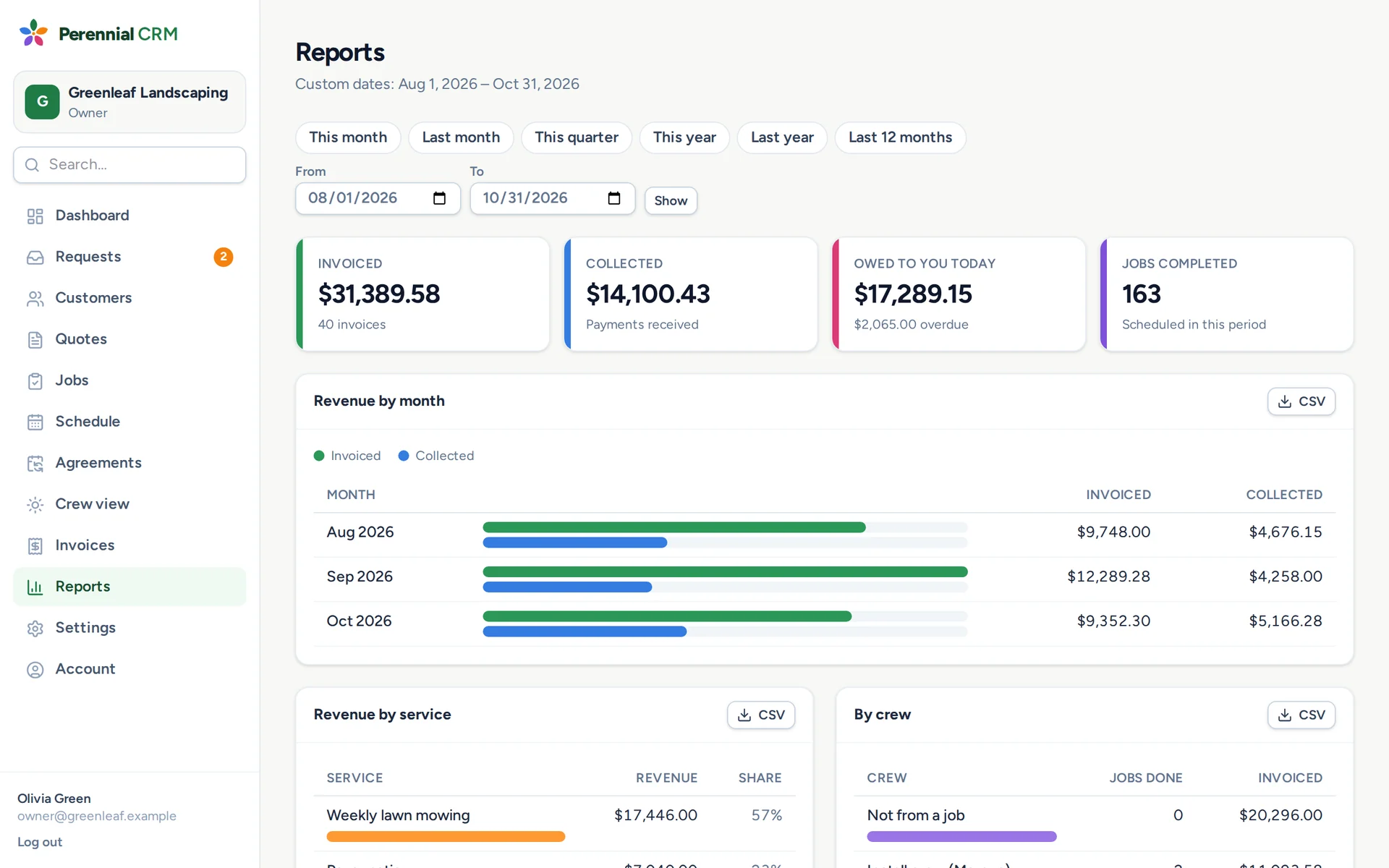
Revenue by month, service and crew, what customers owe and how late it is, and time on site against your estimates.

  • ✓Aging of everything customers owe you
  • ✓Revenue by service and by crew
  • ✓Crew time tracking, with labour against the estimate
  • ✓Export anything to CSV for your accountant
Reports showing invoiced, collected and owed totals and revenue by month
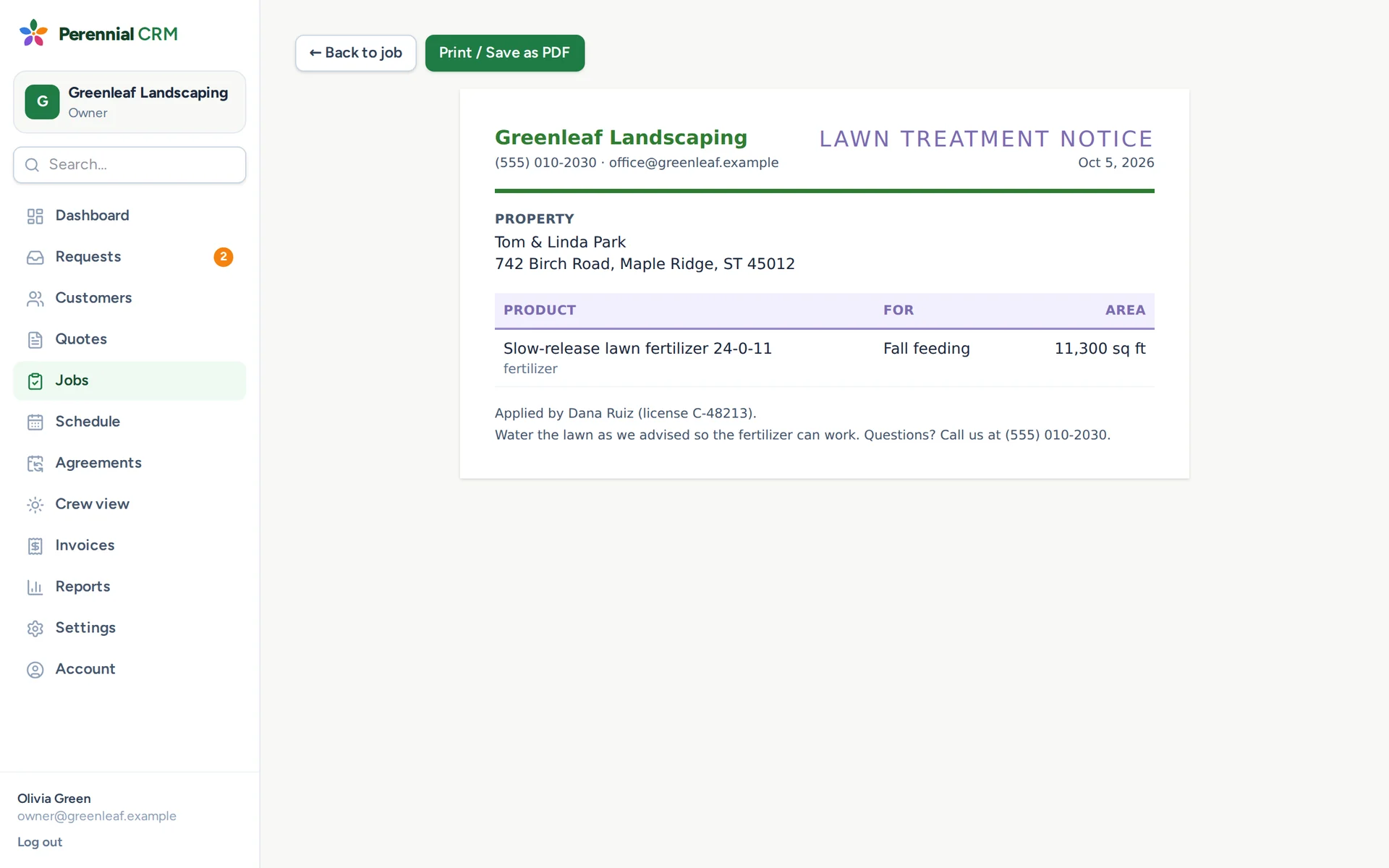
A printable lawn treatment notice listing the product applied and the area
Lawn care

Pesticide and fertilizer records, done in the field

Crews log each application from their phone as they go: product, EPA registration number, rate, area, weather and their license number. The office has the records inspectors ask for.

  • ✓Your product list fills in EPA numbers and rates
  • ✓Records stay accurate even if a product or customer changes
  • ✓Print a treatment notice to leave with the customer
  • ✓Export a season of records to CSV for state reporting

And everything else a landscaping office needs

No add-ons to buy and no per-customer fees. It all bends to how you work: your services, job stages, fields and logo.

◉

Customers & properties

Every customer with all their service addresses, tags, notes, history and balance. Bring your list over from a spreadsheet in minutes.

✎

Texting

Text quote and invoice links, reminders and "on our way" messages. Replies show on the customer's page, and STOP opt-outs are handled for you.

▦

Google reviews

Ask for a Google review after a customer pays, automatically or with one click, and see who followed the link.

$

QuickBooks Online

Invoices, customers and payments go to QuickBooks on their own, so your bookkeeper never retypes them. On the Evergreen plan.

⚙

Make it yours

Custom fields like lot size or gate code, your own job stages and colours, and your logo and terms on every document.

☺

Your whole team

Owner, office and crew roles. Crews see where to go and what to do, and never see your prices.

From first call to paid, in four steps

Every step carries forward, so you never type the same thing twice.

Step 1

Quote

Build it from your own services and prices, then email or text it. Your customer approves online and pays the deposit.

Step 2

Schedule

One click turns an accepted quote into a job on the calendar, one-off or recurring.

Step 3

Do the work

Crews see today's stops, directions and notes, text customers they're on the way, and log time and photos.

Step 4

Get paid

Invoice from the job. Customers pay online by card or bank transfer, and reminders do the chasing.

Put the clipboard down this season

Set up your services and send your first quote tonight.

Start your free trial

14 days free · No card needed · Cancel anytime